
Download Code Trainer – Coding Challenges, Quizzes, and Offline Learning
Overview
Code Trainer is designed as a focused learning tool for experienced developers seeking to sharpen their coding proficiency. Unlike beginner-friendly platforms, this app targets intermediate to advanced users who want to deepen their understanding of programming concepts without relying on automated assistance. The primary purpose of Code Trainer is to provide a distraction-free environment where users can engage in practical problem-solving and knowledge retention through structured challenges and quizzes. It addresses the common need among seasoned coders to maintain sharpness in algorithmic thinking, language-specific syntax, and data structure application—skills that are often underemphasized in daily development workflows.
The app serves as a self-directed learning companion, ideal for professionals preparing for technical interviews, developers refreshing outdated knowledge, or those exploring new languages. Its real-world utility lies in enabling consistent, on-demand practice, especially in scenarios where internet access is limited. The platform supports multiple programming languages, including C#, Java, JavaScript, and Python, allowing users to tailor their learning path to their current or target tech stack. This flexibility enhances its value in a diverse development ecosystem where polyglot programming is increasingly common. While the developer did not provide additional background, the app’s focus on conceptual mastery and minimalism suggests a deliberate design philosophy aimed at efficiency and user autonomy.
Key Features & Functionality
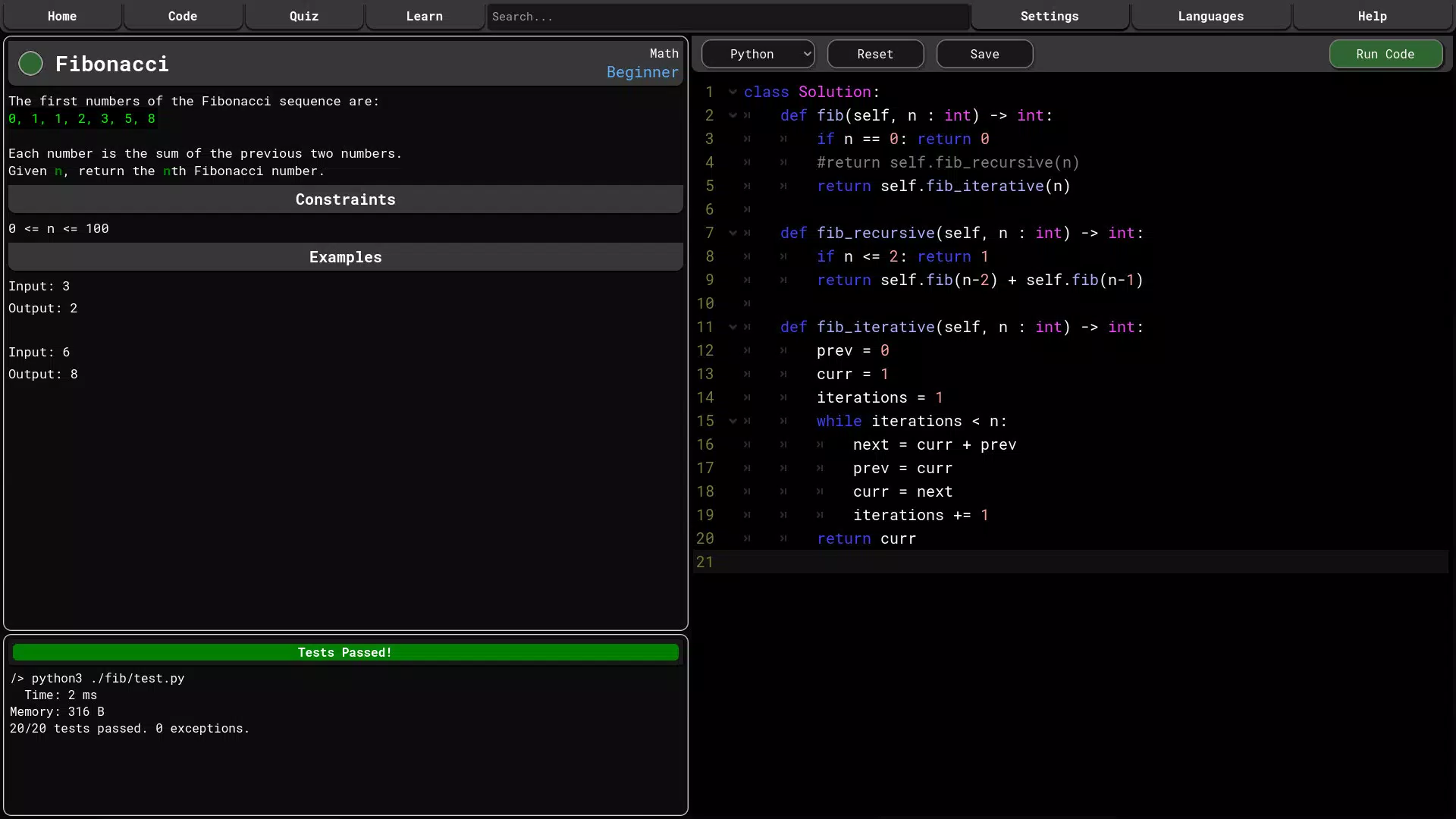
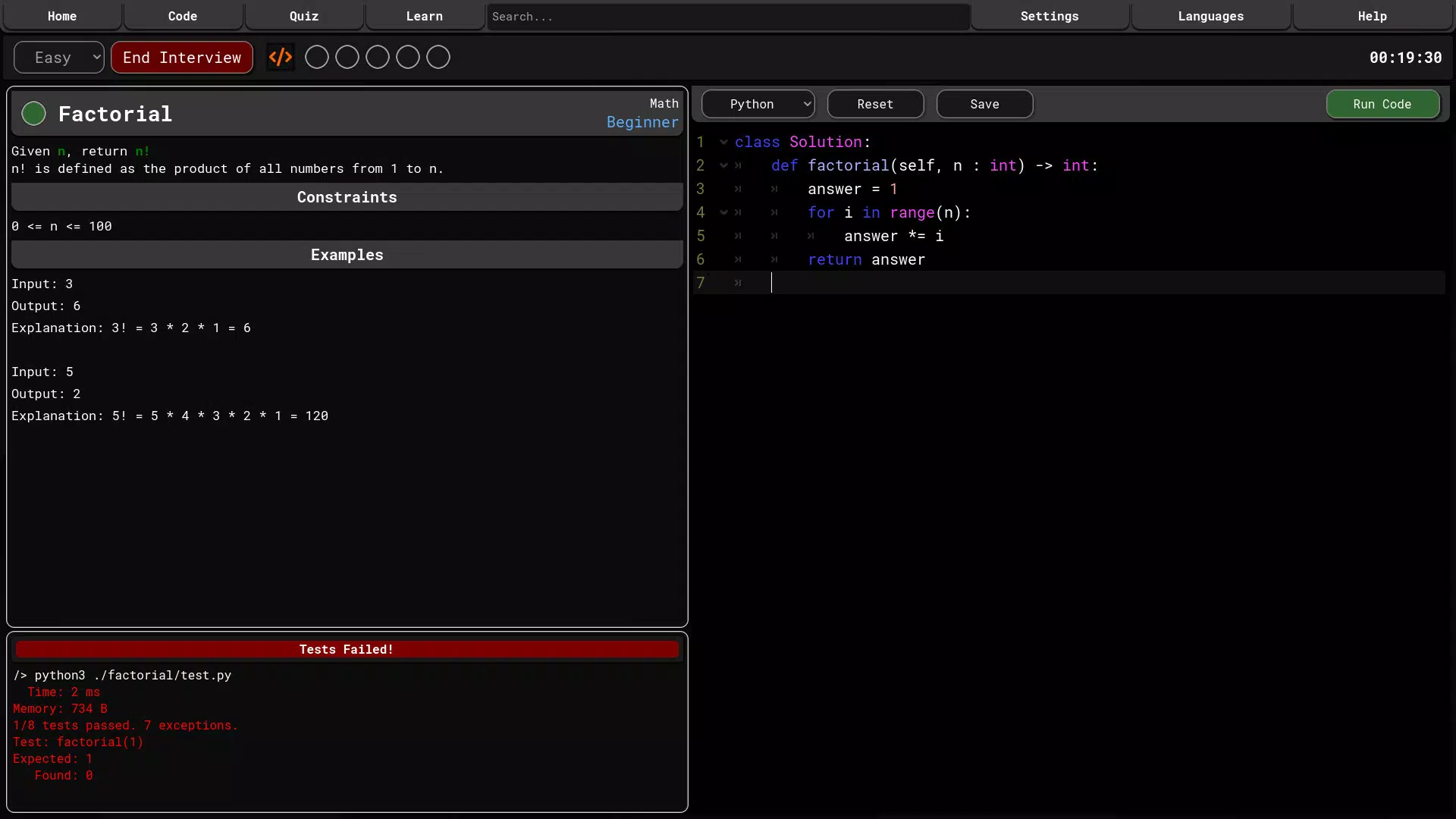
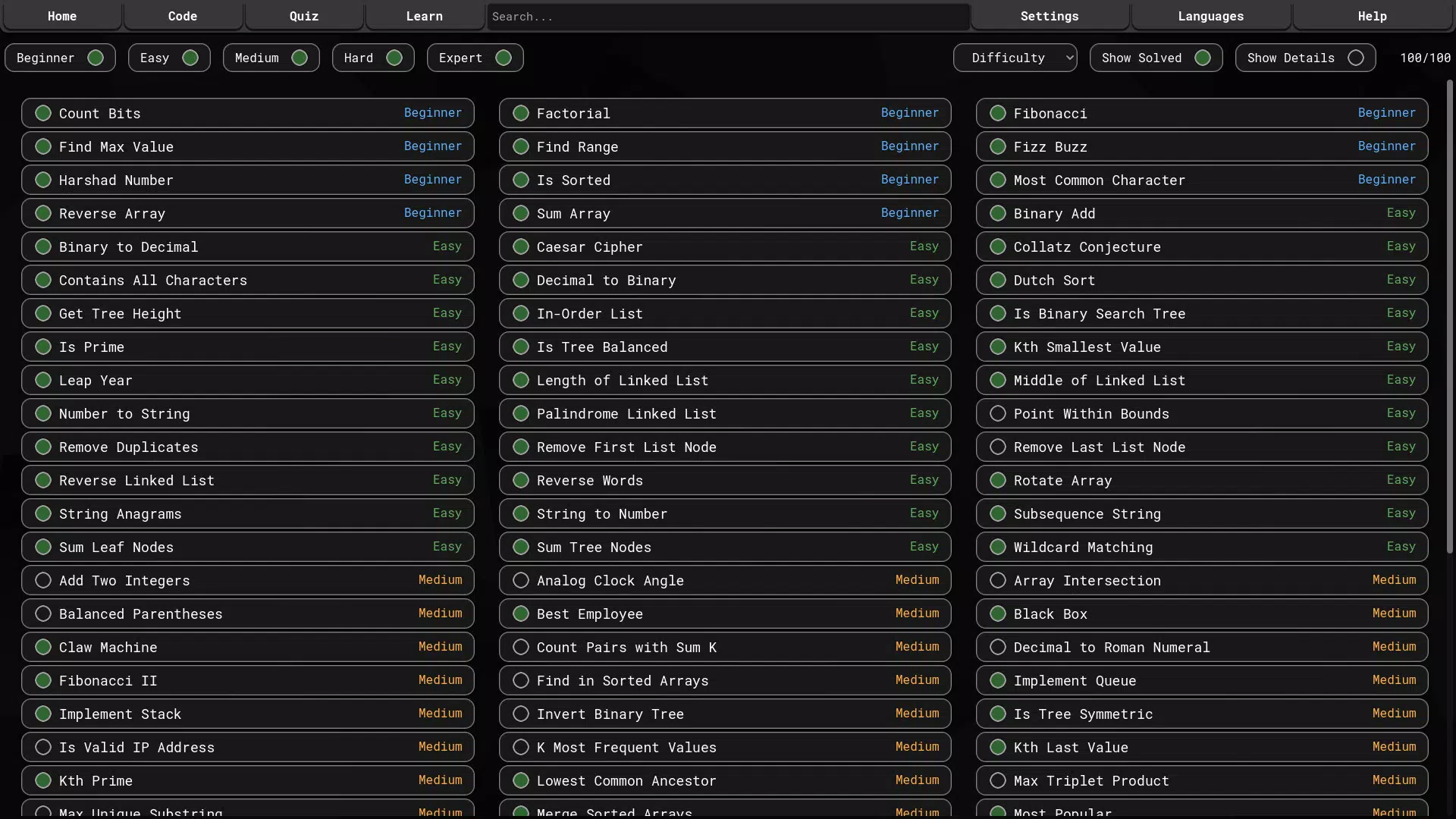
- Diverse Problem Set: The app includes 100 coding challenges that vary in complexity, enabling users to progress from moderate to advanced levels. Each problem is crafted to test logical reasoning, syntax accuracy, and algorithmic efficiency, offering real-world problem-solving scenarios.
- Multiple Programming Languages: Support for C#, Java, JavaScript, and Python allows users to practice across widely used languages. This feature is especially useful for developers working in multi-language environments or transitioning between tech stacks.
- Offline Access: All content can be used without an internet connection, making it ideal for learning during commutes, travel, or in low-connectivity areas. This ensures uninterrupted practice sessions and reduces dependency on network availability.
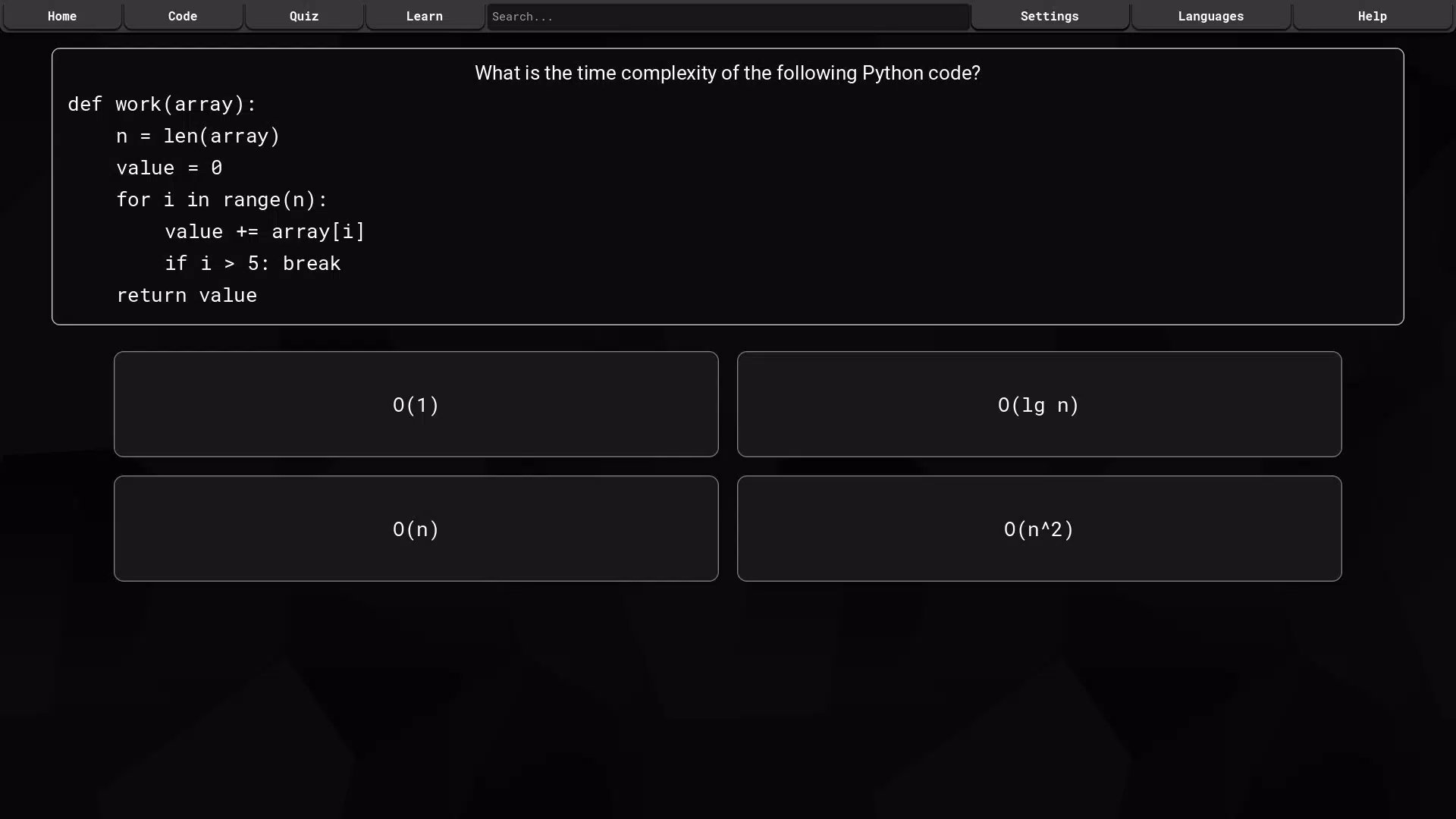
- Interactive Quizzes: Designed to reinforce understanding of computer science fundamentals, these quizzes cover topics like recursion, sorting algorithms, and memory management. They serve as both diagnostic tools and revision aids, helping users identify weak areas and track progress.
- Concise Learning Courses: Short, focused modules on Data Structures and Algorithms provide practical insights without overwhelming users with lengthy explanations. These courses emphasize application over theory, aligning with the app’s hands-on learning philosophy.
For example, a software engineer preparing for a technical interview might use the quiz feature to test their grasp of binary trees, then solve a related coding problem offline during a flight. Similarly, a developer learning Python for the first time can use the structured problems to build fluency without relying on auto-suggestions or syntax highlighting.
Interface, UX & Performance
The user interface of Code Trainer emphasizes clarity and minimalism, prioritizing content over decorative elements. Navigation is straightforward, with a clean layout that organizes challenges, quizzes, and courses into distinct sections. The visual style is functional, using neutral colors and readable fonts to reduce cognitive load. Users can easily switch between programming languages and access their progress without unnecessary steps.
Although the developer did not list formal performance metrics, the app appears optimized for smooth interaction across various device categories. Responsiveness is consistent during problem-solving sessions, with minimal lag when switching between screens or submitting answers. Stability is maintained even during extended use, suggesting efficient memory management. The absence of auto-complete and error highlighting contributes to a distraction-free experience, which enhances focus and promotes deeper learning. However, the developer did not specify minimum OS requirements or compatibility details for older devices, so users should verify system compatibility before installation.
Platform Compatibility & Technical Requirements
Code Trainer is available on Android and iOS platforms, supporting the latest versions of both operating systems. The app has a file size of 45.2 MB, making it lightweight and suitable for devices with limited storage. The software version is 1.0.0, released on March 5, 2025. Specific requirements were not listed, and the developer did not disclose minimum OS versions or hardware specifications. As such, users should ensure their devices meet general standards for modern mobile applications to guarantee optimal performance.
Pros and Cons
- Offers a focused, distraction-free coding environment for experienced developers
- Supports multiple programming languages including C#, Java, JavaScript, and Python
- Enables offline learning with full access to all content
- Includes interactive quizzes and concise courses for concept reinforcement
- Lightweight design with a small file size of 45.2 MB
- No beginner-friendly tutorials or guided onboarding
- Missing detailed performance or system compatibility information
- Limited feedback mechanisms beyond correct/incorrect answers
- App lacks social or community features for collaborative learning
- Only 100 coding problems may not be sufficient for long-term users
FAQ
Is Code Trainer free to download and use?
Yes, the app is available for free download. The developer did not specify any in-app purchases or subscription models.
Can I use Code Trainer without an internet connection?
Yes, all content is accessible offline, allowing users to practice coding anytime and anywhere without requiring a network connection.
Which programming languages are supported?
Code Trainer supports C#, Java, JavaScript, and Python, offering flexibility for developers working with these languages.
How often is the app updated?
The latest version, 1.0.0, was released on March 5, 2025. No update frequency was provided by the developer.
Is the app safe to install on my smartphone?
Yes, the app is designed as a secure learning tool. It does not require excessive permissions and is available through official app stores.
Final Thoughts
Code Trainer stands out as a streamlined, no-frills platform for experienced developers who value focused, self-directed learning. Its emphasis on problem-solving without auto-complete or error highlighting fosters deeper understanding and stronger coding habits. The inclusion of offline access, interactive quizzes, and concise courses makes it a versatile tool for on-the-go practice and interview preparation. While it lacks beginner support and community features, its targeted approach delivers significant value to its intended audience. For developers committed to continuous skill improvement, this app offers a practical, efficient way to stay sharp across multiple languages and core computer science topics.
Download Code Trainer now


